Your diploma, on your phone: a student-first guide to secure digital credentials
Who this is for: students (and anyone helping students—career services, program leads, registrars)
Promise: zero paper chase, faster opportunities, more privacy—without you learning any tech.
TL;DR (read this if you’re between classes)
- Show proof in seconds. Instead of digging for PDFs or waiting on office emails, you share a secure link or QR from your phone. Employers, scholarships, other schools—everyone gets a clear yes/no instantly.
- You control your info. Share only what’s needed (e.g., “enrolled this term” or “degree awarded”). No oversharing, no surprises.
- Built for real life. Lost your phone? Credentials can be re-issued. Name spelled wrong? They can revoke and fix fast, and verifiers always see the latest version.
- AI-first for safety. Extrimian uses AI to protect your identity and speed up university workflows—not to snoop on you or cut corners.
Why should you care (today, not “someday”)?
Scholarships and benefits need status now, not next week. Many proofs are simple: “Is this student currently enrolled?” Your enrollment credential answers that without dumping your full transcript. Fewer forms; faster yeses.
Study abroad and transfers are smoother. Another school can confirm a course completion or degree without emailing five offices. You share once; they verify independently; your application keeps moving.
Privacy actually improves. You don’t have to forward ancient PDFs that reveal way too much. With a digital credential, you show the minimum required—and only when you choose.
You always have it with you. Your phone already holds tickets, payments, and boarding passes. Your diploma and key proofs belong there too—secure, portable, ready when opportunity calls.
How it works—without the nerd talk
Think of each credential (your diploma, enrollment status, course badge) as a sealed envelope with your university’s unique stamp.
- If someone opens it and changes even a line, the stamp breaks, and the checker immediately says Not valid.
- Extrimian provides the stamp (digital signature), the envelope (the credential in your wallet), and the counter window (the university’s one-page verification site) where anyone can check it—no emails, no guessing.
You don’t manage keys, blockchains, or any of that. You just receive, store, and share—and it works.
Real moments you’ll use it (and how it feels)
1) “Can you prove you actually graduated?”
You tap Share diploma, send a link or show a QR. The recruiter scans and sees: Valid — Degree: [Your Degree], Issuer: [Your University], Date: [Month/Year]. Done. No PDF edits, no “I’ll pass it to my manager,” no waiting.
2) “We need proof you’re enrolled for this semester.”
You share Enrollment: Current Term. It shows exactly that—and nothing else. If your status changes, the old credential is revoked and anyone who checks it sees that it’s no longer valid.
3) “Upload a course completion for credit transfer.”
You share a verifiable course credential that confirms you passed the class. The other school verifies it themselves and moves on to the next step. Less paperwork, fewer delays.
4) “Student discount—show ID?”
You present a student ID credential. The vendor or campus service scans and gets a simple Yes without seeing your grades, address, or anything personal they don’t need.
5) “Oh no, I lost my phone…”
If you lose your device, you tell the university. They revoke the old credentials and re-issue to your new device after confirming it’s you. The verification page always shows the latest truth, so you’re covered.
6) “There’s a typo on my diploma.”
It happens. The registrar revokes the old one and re-issues a corrected credential. Anyone who checks the old link sees “Revoked,” and the new link shows your accurate details. No awkward explanations.
Your data, your call (how privacy works in plain language)
- Share the minimum. Many checks only need a yes/no on a specific fact (enrolled, degree awarded, course completed). Your credential can provide just that.
- You choose when to share. Nothing leaves your wallet until you decide to present it. You’re in the driver’s seat.
- It’s obvious if someone tampers. If a file is altered, the verification fails immediately. You don’t have to argue; the page tells the truth.
- Clean history for you. When a credential is revoked and re-issued (e.g., to fix a typo), everyone sees the updated version at the same link. No “which PDF is the latest?” chaos.
Get started in 3 easy steps (what you’ll actually do)
- Receive your credential.
When your university turns this on, you’ll get instructions to add a wallet (mobile or web) and receive your diploma/enrollment credentials securely. - Keep it safe.
Set a PIN or biometric lock for the digital identity wallet (Face ID, fingerprint). If you change phones, you’ll have a simple way to recover or re-issue with university support. - Share when needed.
For scholarships, or transfers: open the wallet → Share → send link or show QR. The other side gets a clear answer in seconds, and you keep control.
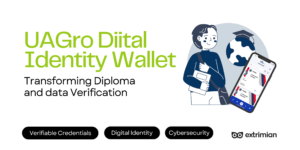
See a real live demo here from UAGRO, one of our succesfull cae studies: UAGRO – Students Credentials & Digital ID Wallet Demo

University Secure Identity & Data
FAQ about verified digital diplomas:
Can I still get a paper diploma?
Yes, if your university offers it. The digital version is the official way to prove authenticity online—and you can even print a QR on the paper diploma that points back to it.
Do I need the internet to show it?
You can open your wallet and show the QR; the verifier needs a connection to check the status. If you’re somewhere with poor signal, you can share the link later. Many events now have scanners or staff with connectivity.
What if I don’t want to share my grades?
You don’t have to. Most checks only need a degree or enrollment. Share the minimum required for the situation.
What if something’s wrong on my credential?
Ask the registrar to revoke and re-issue. You’ll get the corrected one quickly, and anyone using the old link will see it’s no longer valid. No awkward “ignore my last attachment” moments.
Which benefits this tech offers to student & clubs
- Club badges and event passes: your university may issue digital badges for roles or events. They’re easy to share with sponsors or include in portfolios.
- Volunteering & labs: log verified hours or lab competencies as mini-credentials you can show to research programs or NGOs.
- Community trust: a simple Valid check reduces ticket fraud and line headaches at big events.
(Availability depends on what your university enables—ask your student affairs office what’s planned.)
What this means for your university
With Extrimian, the university issues tamper-proof digital credentials, offers one official page to verify them in seconds, and uses AI internally to spot risk and speed corrections. Students get control and privacy; employers get instant answers; staff spend less time on inbox ping-pong. It’s security and simplicity, together.
Ready when you are
When your university enables Extrimian credentials, you’ll receive a message with simple steps to get your wallet and your first credentials. Until then, save this page, tell your career office what you’d love to see first (diploma, enrollment, course badges), and get ready to retire the messy PDF folder.
Extrimian: AI-first for safety, student-first for experience.
Further reading & internal links
- Fundamentals of SSI (plain-English intro): https://academy.extrimian.io/fundamentals-of-ssi/
- Integrate Solution (connect issuer/verifier to SIS/LMS): https://academy.extrimian.io/integrate-solution/
- Masterclass (training for registrar & IT/security): https://academy.extrimian.io/masterclass/
Contact Extrimian (book a 30-minute review): https://extrimian.io/contact-us